Schools & colleges
A coaching desk for the whole season.
Training plans, daily attendance, meet entries, and season reports are parts of the same job. SwimDesk gives your coaches a shared place to do that work, with a companion for the pool deck and SwimDesk Live for families.
From the season plan to meet day
From the weekly plan to the next practice.
Each coach signs in with their own email and password. Invite staff to the team and give them access for their responsibilities. The account holds the team’s work across devices.
Read the shareable overview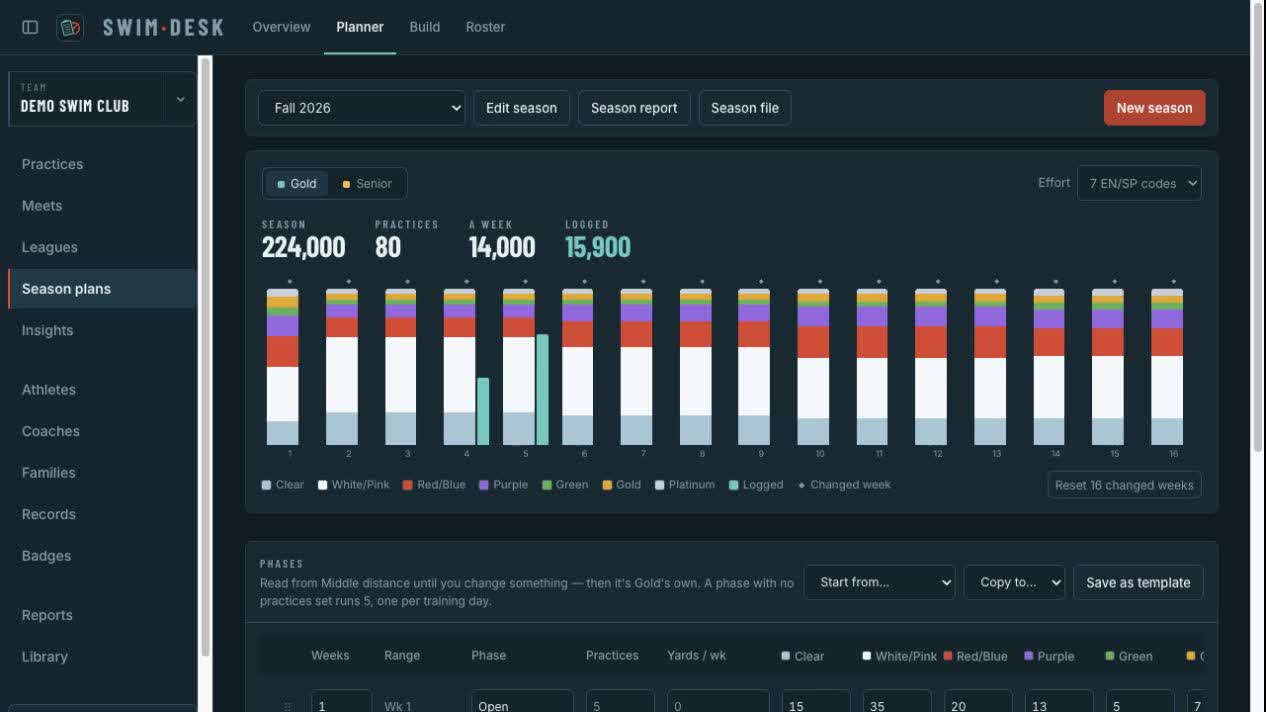
Plan each group’s season
Build training phases with weekly distance, practice counts, and effort mix. Each group keeps its own plan. The season calendar puts the practices written beside the weekly target so coaches can review the week as they write.
The work you keep: A group-by-group season plan and a weekly view of written work against target.
Write the practice your groups need
Use familiar swim shorthand, share a set across groups, or give each group its own work and pace. Read distance, estimated time, stroke, and effort as you write. Save sets in the library for another day.
The work you keep: Dated practices with the written sets, group totals, and reusable library sets.
Coach from the pool deck
Open Today on the phone for the day’s practices and meets. A practice opens its written groups, attendance, test entry, and the clock. Load it before leaving Wi-Fi; those practice tools keep working on that device and changes sync when you reconnect.
The work you keep: Attendance and test results saved with the practice, plus a clock for running the set.
Follow the swimmer and the season
Read attendance, training distance, test results, and course-specific best times together. Keep team records and recognize athletes with awards. Print a season summary for staff, an athlete profile for a conversation, or certificates for the end-of-season gathering.
The work you keep: Swimmer records and printable reports for program reviews and athlete conversations.
For the program review
Give your AD something concrete to read.
Bring the season summary, attendance standings, and athlete profiles to your next program review. Your AD can read the training written, participation recorded, and swimmer results in printable reports without learning the coaching workspace.
- Program review
- Season summary and attendance standings.
- Athlete conversations
- Athlete profile, attendance, meet report card, and recruiting resume.
- Meet day
- Entry lists, fee invoices, psych sheets, heat sheets, results, and a spectator QR sign.
- Recognition
- Team record board and award certificates.
The tour shows the current coaching workspace with fictional example records. Use it alongside the overview to walk your staff through the daily work.
Try the poolside companionRead the tour description
A screen tour captured from the current coaching desk: the team dashboard, the practice writer with group totals, the season Planner, the Build calendar, and Reports. All team records are fictional. Captured October 7, 2026.
Questions from schools.
Can assistant coaches work with the same team?
Yes. Invite staff to the team and give each person their own email-and-password sign-in. Access follows their responsibilities, so sharing a team does not require sharing a password.
What happens when the pool Wi-Fi drops?
Open the practice before heading to the deck. The loaded board, attendance, test entry, and clock keep working on that device. Changes sync to the account when you reconnect.
Do parents see the coaching workspace?
Families use SwimDesk Live for published results and their team’s Families area, including updates, session RSVPs, volunteer jobs, and shared files. A family invitation does not grant coaching access. Review visibility and family access as part of the school’s setup.
Tell us who’s coaching.
Your teams, your staff, and the work you want to bring together.